
Is your Pentair IntelliChlor showing "Add Salt" or "Low Salt" when your test strips say the salt is fine? The cell's salt reading can drift over time, especially when the cell is scaled up. On older units you can fix this by field-recalibrating the salt level, which takes about five minutes with the steps below.
Note: this procedure is for IntelliChlor firmware versions 1.9 and below. Newer versions can't be field-recalibrated; if yours is newer, use the troubleshooting tips further down instead.
Before you start
- Clean the cell first. Scale on the cell plates is the most common reason for a low salt reading. If the cell has been running for a few weeks, acid-clean it before recalibrating.
- Test the real salt level with salt test strips or an electronic salt tester. IntelliChlor wants 3,000–4,200 ppm (3,200 ppm is ideal).
- Check flow. The pump must be running and the cell's Flow light must be green.
How to recalibrate the IntelliChlor salt level
1. If the IntelliChlor has been in operation for a few weeks, remove and acid clean the salt cell before field recalibrating. This will give the most accurate starting point.
2. Manually test the salt level with salt test strips or an electronic salt tester. If the salt level is in the proper range of 3000-4200, proceed to step 3. If not, adjust the salt level to the proper parameters before recalibrating.
3. With the pump running, verify the "Flow" light on the cell is green. This indicates good water flow through the cell.
4. Press and hold the "More" button for 3 seconds to enter system status mode. All the lights will scroll across the panel, and then go dark. Only the "Power", "Cell", "Life", and "Low" lights will be lit.
5. After a few moments, the "Good", "Add", and "Low" salt lights will begin to scroll, indicating the salt level is being read. It may take up to one minute to read the salt.
6. The salt scrolling will stop and one of the salt lights will be displayed. The "Sanitizer Output 20%" light will turn on to indicate changes are now allowed. Press the "More" button to cycle through each salt level, and then press the "Less" button to choose and save the display as the new salt level. The "PWR", "Cell", "Life", and "Flow" lights will flash 4 times, then the mode exits to normal.
7. The unit is now recalibrated to the salt level of the pool. The display will now be normal, showing the output percentage, flow status, etc. The field calibrate mode will exit in 5 seconds if no buttons are pressed.
Still reading wrong after recalibrating?
- Cold water: salt cells read lower and stop producing chlorine in cold water. Recheck when the water is warmer.
- Scale returns quickly: high pH or calcium hardness scales the cell. Balance the water and clean the cell again.
- Worn cell: as a cell nears the end of its life, salt readings and chlorine output drop. Replacement cells include the IRCF40 for IC40 and IRCF20 for IC20.
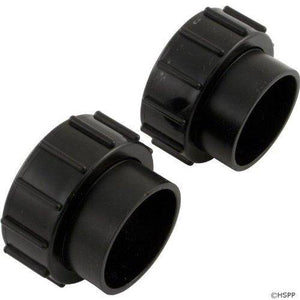
- Leaking or cracked unions: replace them with Pentair 520595 IntelliChlor unions.
Related IntelliChlor guides
- How to set up a Pentair IntelliChlor salt system
- How to install and use the IntelliChlor IC40 cell
- How to install the Pentair 520554 IntelliChlor
- How to install the Pentair IC15 IntelliChlor cell
- How to prevent winter stains in a salt water pool
If you have any other questions about your salt system, please let us know - we are here to help!